Categories
Microsoft365

Showcasing The Power Of Sway

I had the pleasure of meeting Claire Lanyon a few years ago and we’ve kept in touch via LinkedIn as she’s gone on to do some incredible roles with the Auckland War Memorial Museum and more recently with the University of Auckland who I previously had some engagements with whilst supporting New Zealand education customers.

I was thrilled, therefore, when she reached out to me this morning to share an amazing use of Microsoft Sway to create an online digital gallery to share some of their taonga (treasures) during a time when many physical galleries are closed or restricted due to COVID19. I’ll share more below about what Sway is, but you can see the example by clicking here or interacting with the embedded Sway below:

Speaking with Claire, the University of Auckland’s library will continue to release other online galleries using Sway, with upcoming exhibits listed here.

Exhibitions | The University of Auckland – Libraries and Learning Services

These online gallery exhibits are being created by the Special Collections at Waipapa Taumata Rau | The University of Auckland

What is Sway?

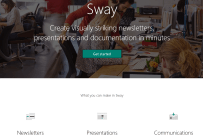
I used to jokingly refer to Microsoft OneNote as “the hidden jewel in the Microsoft Office suite” because it was always there but few used it originally, and to some extent Sway might be the hidden jewel in the online Office365 suite as many have not discovered how powerful it is. If you’re brand new then perhaps the best way to describe Sway is, aptly, to use a visual:

The best place to get started is with support is at Sway help & learning – Microsoft Support but the actual home page of Sway is found at https://sway.office.com and I’ve seen education customers using Sway in a variety of ways including:

  • School newsletters home to parents
  • Information evenings about the school
  • Student projects for sharing with parents or communities outside of the school
  • Creating online resumes
  • Digital galleries of student work

One of features that everyone loves is the adaptive design of Sway – you build it once but it will automatically reformat based on the device the user views it through: desktop, tablet or mobile. With the easy embedding of rich media content from the web into the Sway, it’s a favourite of anyone wishing to create engaging and interactive content that can be easily distributed and viewed from any device.

You do need an Office365 account to use Sway.

Categories
Minecraft:EE

Lest We Forget: WW1 Remembrance Lessons in Minecraft: Education Edition

When I first quit my career in ICT, I re-trained as a secondary school teacher and primarily taught History (with some English Literature and Religious Education on the side). We covered many historical topics including one unit called “The Origins of WW2”, in which students were amazed to find that the seeds of that conflict were sown at the conclusion of WW1 and the signing of the Treaty of Versailles. I’ve also blogged about ANZAC memorial observances here and here.

This weekend I noted that the Minecraft: Education Edition team have been busy and released a series of lessons to assist educators and students examine key elements of WW1, the so-called “war to end all wars”.

Four of the five lessons released covering WW1

The five lessons included in this series are:

  • Lesson 1: Explore how WWI was different from the conflicts that came before it, and discover what led to it starting.
  • Lesson 2: Find out how Morse Code was used as a vital form of communication, and create and send a telegraph using the code.
  • Lesson 3: Explore how flight changed the face of warfare, and build your own plane.
  • Lesson 4: Learn about the difficulties and dangers of Trench Warfare, the horrific conditions soldiers had to life and fight in, on both sides.
  • Lesson 5: Reflect on the lessons learned from the war, focusing on the importance of remembrance

My Thoughts

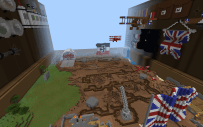
This is a brilliant, accessible resource for educators to teach major themes to students through a high interest topic and the engaging platform of Minecraft: Education Edition. In fact, the incredible Auckland War Memorial Museum (my personal favourite musuem in New Zealand) previously released a Minecraft world around the legendary Gallipoli Campaign that forged the ANZAC brotherhood between Australia and New Zealand armed services:

You can access the Gallipoli learning activities here (please note: as these were released in 2015 it was prior to the launch of Minecraft: Education Edition and so will not play in that version of the app).

Through studying these world-changing conflicts, students learn not to glorify the violence, but instead understand the contributing factors that led to the escalation of tensions and ultimately, the outbreak of war. Furthermore, they gain a greater appreciation for the horrific experiences the soldiers found themselves in and the long-term impact this had on their lives.

Lest we forget.

Need Help Getting Started?

If you’re after some help getting started with Minecraft: Education Edition then check out my ultimate setup guide here.