Categories
Minecraft:EE

Hour of Code 2021 – TimeCraft with Minecraft: Education Edition

Achieving my 2021 Hour of Code Certificate

It’s that time of year again: Hour of Code with Minecraft: Education Edition and this has become something of an annual event for my children and I to complete together.

Learn basic coding concepts to correct mysterious mishaps throughout history! Travel back in time to save the future in this free Hour of Code lesson in Minecraft: Education Edition. Players will choose their own adventure and connect with great innovators and inventions in science, architecture, music, engineering, and more. Follow the steps below to get started!

Source

If you’re keen to get started then click here for the Hour of Code webpage or sit back and enjoy the YouTube overview of the theme this year:

What I noticed from the coding challenge this year was just how slick the guided and scaffolded learning experience was. It’s clear that that Minecraft team have been mindful of students and educators who may be new to Minecraft gameplay and they’ve added visual cues and guides, more in-game instruction and some handy shortcuts to avoid frustration. The result is a fun, fast-paced introduction to coding through game-based learning in MInecraft that has a lot of replay-ability (given there are multiple historical challenges you can jump to, but only require completion of three to receive the certificate).

If you’re new to Minecraft and Hour of Code I can’t encourage you enough to give this a go – if you’re a veteran of his annual challenge then you’re going to be impressed with how far this lesson has evolved. The good news is if you’re keen to have a go with previous challenges, they’re still available through the in-game library:

Previous Hour of Code challenges are available through the in-game Library of Lessons

Code For Free – Hour of Code 2021 Is Free To All Users

If you don’t currently have Minecraft: Education Edition licensing you can still do this Hour of Code for free. First, you can download the application for free from here (Windows, iPadOS, MacOS and ChromeOS all supported). If you have no account you can choose to complete the free lesson:

Once you’ve clicked the “try a demo lesson” you’ll be presented with the following screen:

If you’re playing the free lesson, you’ll see the “Demo Lesson” in the top right and the “Player” name (this would be replaced with your name if you have a licensed user account). It is possible to unlock the full game from here too with a licensed user.

Categories
Microsoft365 Minecraft:EE

Hour Of Code With Minecraft: Education Edition

As the academic year starts to wind up for many schools, teachers are often looking for engaging activities to motivate tiring students who have an eye on the summer break, whilst still delivering robust learning outcomes.

Enter the newly revamped Hour of Code inside of Minecraft: Education Edition.

With a highly relevant topic focused on using AI technology to fight forest fires, students need to use coding across a series of tasks to train a bot that can first recognise fire-risk shrubbery and then deploy the bot to save a village in a fire-risk zone before an impending lightening storm strikes. The Hour of Code runs between December 9th and 15th and you can register here to officially participate.

Here’s an intro video to the new Hour of Code lesson inside of Minecraft: Education Edition:

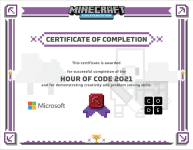
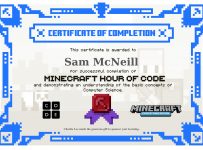
Currently, I’m working through a large amount of internal professional development focused on topics such as Azure Cloud Services, Microsoft 365 and Dynamics 365, so in the spirit of being a “life long learner” I completed the Hour of Code activities too:

Hour of Code Certificate.jpg

If you’re interested, it took me around 20 minutes to complete the ‘required’ elements of the lesson, but there are more extension activities inside the lesson that get students thinking deeper around coding.

There are a few key things in this Hour of Code that are especially valuable for educators:

  1. It’s self paced: students can work through it in a heavily scaffolded world with clear, easy to comprehend and follow instructions.
  2. It’s in the full version of Minecraft: Education Edition: previous contributions from the Minecraft team to the Hour of Code have focused on a browser only version in 2D (see them here), whereas this uses all the goodness of M:EE and the inbuilt Code Editor.
  3. It does not require a login! The Minecraft: Education Edition team have added the one-off Hour of Code lesson to the main landing page when you launch the application, meaning there are no barriers to getting started! Even if your school or students have never used Minecraft:EE before you can run this lesson, and you can download the free application here.
  4. There is a Teacher Walk Through Video: Many educators understandably want to learn what they’re getting into before committing the time to planning how to add a new resource into their limited and precious teaching time. To help with this, the Minecraft:EE team have created a walk through video – see below:

Once your students fall in love with coding inside of Minecraft: Education Edition the good news is that there is a LOT of additional coding content they can use. Check this link for all the information.

If you’re downloading or updating your version of Minecraft: Education Edition, make sure you’re on at least version 1.12.15 (see below) as this has the “Try a Demo Lesson” content in it.

Hour of Code No Login Required
Only version 1.12.5 or above has the Hour of Code lesson that does not require a login.

A Few Things To Note:

I really rate this lesson because it is topical: students around the world are expressing a unified voice that we need to care for the environment we have here on earth.

Additionally, the idea of training a bot is relevant in a lot of real-world AI scenarios that developers are working on all the time. In this series of AI For Good lessons one of the activities requires students to train an Azure Vision service on various photographs showing cats and dogs. In this Hour of Code lesson, students need to train their bot to destroy dry and dangerous bushes but not to remove healthy greenery, creating a strong link between their coding and the real world environment they need to protect.

Lastly, because the new lesson plan is delivered inside the application itself, there are a few URL that are required to be open on your school firewall or proxy – here are the links to whitelist if it’s not working for you:

If you end up wanting to go deeper with Minecraft:Education Edition you may want to read my Ultimate Getting Started Guide here.

Categories
Minecraft:EE

Coding Competition Coming To Minecraft:Education Edition

Asia Pacific Next Top Coder image

Computer Science Education Week is less than a month away and this year Microsoft will be getting in on the action by running a coding competition for students using Minecraft:Education Edition and the Code Connection capabilities inside of this hugely popular game based learning platform.

Partnering with EmpireCode, students will get access to guides and training videos once they register to compete:

CLICK HERE TO REGISTER FOR ASIA PACIFIC’S NEXT TOP CODER

The prize list is pretty incredible, headlined by Lenovo’s Star Wars Jedi Challenges:

Other prizes include:

  • Microsoft coaching workshops
  • BBC Micro:Bit
  • EmpireCode apparel

My Point Of View:

By leveraging Minecraft:Education Edition as the platform to develop an immersive world in (based on the soon-to-be-announced theme), students will be hugely engaged in this competition. With the improved User Interface (UI) for the code connection released last week, this experience will be smoother and easier for students than ever before.

By challenging them to further ‘supercharge’ their world through the use of coding will bring to life the power of technology to enhance teaching and learning. As per the entry page on EmpireCode’s website, students will be required to:

Describe the world you created in relation to the championship’s theme and explain how you enhanced it with code, in 150 to 200 words in English.

Getting students interested in Computer Science is a key focus for most governments and their respective Ministries of Education. Competitions like this make the process fun and engaging and will appeal to students across the Asia region.

Finally, for more information on learning to code inside of Minecraft:EE, including the easy Hour of Code lessons that can be completed inside a browser, check out the link here and the full range of Hour of Code lessons for Minecraft here.

HourofCode.PNG
Click the image above to see the tutorials

Categories
Microsoft365 Minecraft:EE Windows 11

Important Update To Minecraft:EE To Support Coding

A couple of cool things happened on the Minecraft:EE front for me this week:

  1. The Verge tech blog picked up on my earlier blog post about the release of the Redmond Campus for Minecraft:EE and shared this to a huge audience – read their post here.
  2. The release of the updated M:EE app occurred to build the Code Connection app directly inside the main M:EE app itself – meaning no more toggling between apps.

I was excited to see that this week a major update was released for Minecraft:EE that provides a significantly improved user experience when using the Code Connection tool inside the game.

Full details of the update are available here.

Coding_Desktop
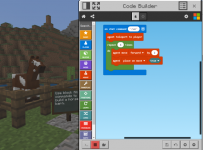
In this update, the coding window is actually inside the main M:EE app itself, rather than being a stand alone app that a user needed to toggle between.

This is a relatively small tweak to the User Interface (UI) but has a large impact on the User Experience (UX) as I have seen numerous younger students struggle to switch between the two apps previously. This is also important because it opens up coding on the iPad which was previously not possible.

Other Updates In This Release:

  • The Library (beta) – an easier, “in game” way of loading additional worlds into Minecraft. Rather than going to the official home page to find new worlds, you can now search directly inside the app.
  • Deep Links – this is the ability to ‘deep link’ to content in the Library from outside the game, for example, here is a deep link to the Chemistry Tutorial world.
  • On Screen Control Guide – showing the key layout to move around inside Minecraft:EE on the screen itself – a huge help for newbies to the game (and teachers!)
  • Educator Resources – If signed in as a teacher, there is a link on the homescreen to options around professional development, training, lessons and the active community

It’s awesome to see this long awaited update finally released and I encourage you to update the app to get the benefits of this. Again, do check out the official release of this update here. Happy Coding!

Tips For Getting Started In Coding:

  • If you are looking for an easy lesson in which to practice your coding skills in Minecraft, download this giant aquarium world. Students will have fun using commands in Code Builder to decorate and populate their aquarium with marine creatures.
  • Check out these standards-aligned lessons across subjects and learn how to apply computer science throughout your curriculum, whether you teach geology, math or chemistry.
  • Explore Building Blocks of Code, a free set of courses empowering educators to bring computational thinking to their classrooms and explore the open world only Minecraft can bring.
  • Just starting your coding journey? Try Hour of Code! Nearly 100 million Minecraft Hour of Code sessions have been completed, and this year we launched the fourth Hour of Code tutorial. Learn more about the Voyage Aquatic and plan an Hour of Code in your school this Computer Science Education Week.

Aquarium-Blog-2.png
Teaching students to code has never been more fun than adding decorations into a massive aquarium inside of Minecraft:EE!

Categories
Microsoft365 Windows 11

Teaching STEM? Think Imagine Academy

imagine-academy-bannerAs more schools shape courses around the acronym of STEM (Science, Technology, Engineering, Maths), they are also looking for innovative ways to create curriculum that is relevant and has ‘real-world’ application for students.

One easy way this can be achieved is through using Microsoft’s Imagine Academy:

What impresses me about these courses is the diversity of options available to teachers and students, all under a single institutional license – read more on the official Imagine Academy website here. The areas of study within the Academy are laid out as follows:

Areas of Study.PNG

For more technically skilled students, or those that have already decided on a career pathway in IT, the Computer Science and IT Infrastructure courses certainly provide early access to training for industry recognized qualifications. Schools that already have effective Digital Technologies teachers can use this as an additional support resource, but for many schools that may not have any qualified teacher in this curriculum area, students can work self-paced through the online materials independently.

Additional benefits include the ability to get Microsoft Certification on the completion of courses through the Imagine Academy, along with linking into world wide initiatives like the MineCraft Hour of Code

It’s instructive that the Netherlands have added the Imagine Academy to every secondary school in the country as a way to support STEM education:

Check out the Microsoft Academy homepage to learn more.