Categories
Microsoft365

Video: Improve Fluency with Reading Progress in Teams for Education

This is the recording of Mike Tholfsen delivering a webinar in May where he showed Microsoft’s Reading Progress tool and also Reading Coach.

If you’re interested in literacy and improved reading outcomes it’s definitely worth a watch.

When students transition from “learning to read, to reading to learn” it’s a paradigm shift in their lives and their educational journey. I’m always humbled to see how Microsoft’s education products like Reading Progress and Reading Coach can assist in this journey.

The Department of Education in the Philippines were early adopters of Reading Progress and there is a great case study of their experience that you can read here. From the case study:

Understanding that literacy is an important key to unlocking the world of learning, the DepEd declared November as National Reading Month in 2011. Since then, the DepEd has celebrated the month with various activities such as weekly reading sessions with reading ambassadors.

Microsoft Customer Story-Philippines’ Department of Education makes reading fun and closes learning gap for young learners

The case study goes on to say:

For 2021’s Reading Month, the DepEd developed a strategic partnership with Microsoft and built a series of customized activities using different Microsoft tools, including Reading Progress. The partnership gave birth to engaging gamified activities for learners such as Flow Reading, virtual storytelling, and the National Reading Cup competition … The application was built into Microsoft Teams to help learners enhance skills through proactive, independent reading. “Through Reading Progress, learners can independently read aloud, record themselves, and improve their reading skills, while empowering teachers to better support them in their learning progress,” said Diosdado San Antonio, Undersecretary for Curriculum and Instruction at DepEd.

Microsoft Customer Story-Philippines’ Department of Education makes reading fun and closes learning gap for young learners

The gamification of learning is, of course, nothing new and in fact I’ve seen a significant uptick in requests from educators to understand how they can integrate the principles of game based learning into their teaching and learning programs. Two blog posts I often reference in relation to this are:

  1. Teaching Literacy With Minecraft: Education Edition & Research On Game Based Learning – SamuelMcNeill.com
    1. the second half of this blog post references in detail research from James Paul Gee on principles of game based learning and I link this back to Minecraft: Education Edition and how that supports learning outcomes.
  2. Engaging Student Learners with eSports in Minecraft: Education Edition – SamuelMcNeill.com
    1. A dedicated post showing specific lesson plans for eSports using Minecraft: Education Edition

Final Thoughts

One of the reasons I continue to love working in the EduTech sector is the intersection of technology and education and how this has the potential to drive better learning outcomes and ensure that all students have access to materials in the way the need to consume them. Becoming a lifelong learner is a goal for all students to strive towards and if we can leverage technology to support that, I know I’ll have helped in even a small way.

Categories
Microsoft365

Reading Progress In Teams – A Faster Way To Assess Student Literacy Rates

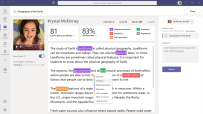
Reading Progress overview

When I first quit my job in ICT and trained to become a teacher, I was told on day one of my teacher training:

EVERY one of you will be a teacher of literacy. No matter if you’re thinking you’ll be a Math teacher or a Science teacher or a Physical Education teacher, you’re ALL teachers of literacy – it’s not just the job of our English teachers.

This stuck with me in a powerful way and as I progressed my career as a History, Social Studies and English teacher I always gently reminded my colleagues from other faculties that they needed to ensure they were providing students with strategies in their subjects to help with literacy and comprehension too!

Consequently, I super enthusiastic about the new product coming called Reading Progress in Teams. As always, I do encourage you to read the full information and blog here but I’ll include the vidoes below for convenience and add my thoughts too.

This blog explains in detail the four components of Reading Progress which are:

  1. Create an assignment in Microsoft Teams.
    1. This is where the reading material is populated for the students to read.
  2. Student reading and recording.
    1. Student opens the assignment, sees the reading material, and can video record themselves reading the passage.
  3. Educator Review.
    1. The reading is automatically ‘graded’ for fluency and this data is provided to the educator for review, just like any other normal assignment in Teams
  4. Powerful insights to track student progress.
    1. Trends, accuracy, words per minute, common mistakes and omissions are all recorded and can be viewed at an individual student or entire class level. (coming soon: school wide insights for leadership to review)
thumbnail image 6 of blog post titled 


							Reading Progress in Microsoft Teams - Improve student reading fluency, save time and track progress
Example of reading progress trends

My Thoughts

As a trainee teacher, I was required to learn how to take “running records” – these are crucial tools for tracking student literacy and improvement and identifying issues to comprehension. Every teacher has done these, and every teacher knows it’s a time intensive but critical task.

I can immediately see how Reading Progress can pick up some of the ‘heavy lifting’ in this process. I don’t think it will ever be a direct replacement for all running records, but will quickly give a baseline that will allow a teacher to focus on the students with the most needs, whilst also accelerating those students who have the strongest fluency. Additionally, Reading Progress can help reduce student fear / self consciousness in terms of reading in front of others. With this, they can do this by themselves but the teacher still gets the full benefit of seeing their progress.

As a father of four children, I know that all students learn at different paces and in different ways. Some take to reading like a duck to water, others need constant encouragement and assistance to get going. In terms of saving teachers time and focusing on students with the highest needs, I can see Reading Progress being a very valuable tool in the classroom.