I’ve had a heap of experience with weird and wonderful M365 Apps issues, but mostly on the Windows platform. As a full time MacBook Pro user these days, I’ve encountered the odd difference on Office apps compared to what I was used to on Windows 11 but none that have totally stumped me.
Today I had a customer with a weird activation issue on M365 Apps on their Mac that I had no clue on, but I got a great tip from a colleague that I should check out the Mac Admins website.
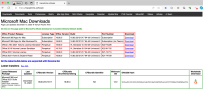
It is nothing fancy to look at:

However, it’s maintained by the Microsoft Office for Mac Developers team:

Amongst the goodness on there is a great collection of tools:

The recommendation from my colleague for the customer issue was to use the Office Reset tool:
Office-Reset is a free downloadable tool that you can use to fix problems and errors encountered with Microsoft Office for Mac apps. This includes Word, Excel, PowerPoint, Outlook, OneNote, OneDrive, Teams and AutoUpdate. The tool can help fix app launch errors, freezes, hangs, crashes, bad plug-ins, corrupt templates, performance issues, and confusing error messages.
Office-Reset

I’m waiting to hear back from the customer if this solved their specific activation issue (fingers crossed), but in meantime I thought I’d share this awesome resource with my readers so they can solve issues faster too.
I am always keen to discuss what I've written and hear your ideas so leave a reply here…