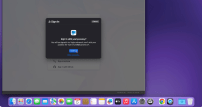
In the video above we showcase how you can sign into the Microsoft Azure portal with the Google Chrome browser (typically, Chrome does not support the MSFT SSO Extension on macOS). This is achieved via:
PSSO registration using a Passkey in Microsoft Authenticator that links the device and the EntraID credential
Opening an incognito window in Chrome and navigating to portal.azure.com
Selecting the Passkey from the Keychain
Using TouchID / Secure Enclave to authorise the use of the Passkey
Result: passwordless sign into portal.azure.com via a Passkey and PSSO in a Chrome web browser on macOS
A goal here is robust authentication methods that are non-phishable and reducing the reliance/frequency of entering passwords.
Reach out if you’re interested in knowing more on how to implement this.
I was fortunate to be in Denver, Colorado last week to attend Jamf’s annual JNUC event – this was the first time I have attended this event and I wanted to share a few thoughts below for others that did not attend.
As this blog is reasonably long here are some hyper links to the various sections if you want to jump around
Before getting into the content, I will share four photos from a short hike I did outside of Boulder in the foothills of The Rockies after the conference finished:
Top Takeaways
Meeting Jamf’s global execs and key leaders was very beneficial. From a partnership perspective this is helpful to establish the Cyclone brand and for us to be aligned with the vision from the key leaders.
Meeting other global Jamf partners and seeing where their business focus is was also illuminating. Whilst we share similar goals, how they have gone to market at times differs from our stratgegy in New Zealand so it was useful to have my thinking challenged in this space.
Jamf is a platform, not a point solution. From my days selling Microsoft 365 with Microsoft APAC, I know the value of being able to position a platform to a customer. Jamf are clearly very focused on expanding beyond being a premium MDM for Apple devices, and wrapping very capable security, IdP and education focused solutions around the core MDM offerings
Automation: a big push from Jamf for partners to automate deployment and management as much as possible to achieve scale and financial efficiencies to be competitive with solutions.
A continued energy directed towards MSP: new tools, better billing engines, faster quoting tools – much was unveiled to make life easier for MSP to transact and deliver Jamf solutions (a very welcome message from my perspective)
Keynotes
Opening Keynote
Commercial – State of the Union
Things that stood out from the Keynote to me included:
A big push for use of Jamf Blueprints – a smarter way to group and manage configuration profiles
12 additional Declarations and 34 Configuration Profiiles released at the event
SSO in Jamf Account across the different Jamf consoles – faster switching
AI Assistant – big push e.g. using AI asisstant to search for redundacies or conflicts in deployed configuration profiles and to provide a remediation plan automatically.
A live demo of Compliance Benchmarks for CIS L1 and L2 as well as NIST standards – all deliverable via Jamf Blueprints
when new versions of macOS are released, the benchmarks can be updated automatically and the correct configurations flow to devices seamlessly
Very smart security via the macOS Telemetry Framework that Jamf Protect and Jamf Security Cloud can pick up on – Jamf Mac endpoint telemetry explained
Education – State of the Union
Things that stood out from the Keynote to me included:
A big push for enhanced value through Jamf managed Shared iPad mode
A live demo of Jamf School showing how Blueprints can work (coming in 2026)
A live demo of Platform SSO (PSSO) – easy to deploy, great for multi-user devices
It was clear that Jamf was not threatend by PSSO native integrations and the impact this may have on Jamf Connect. They actively encouraged customers and partners to migrate to PSSO
A live demo of Jamf School at Home
The use of the Jamf Parent app for managing iPads – I really liked this and the functionality was largely new to me.
Overall, the keynotes were mostly useful – there was some very good annoucements in the Commercial keynote and from the Education keynote I was particularly interested in the announcement of the acquistion of Identity Automation and how this can allow a seamless single sign on experience into apps such as Canva and Seesaw when deployed onto iPads managed in Shared iPad mode showing a clear time saving for students in a classroom by removing the need to sign into each app individually with a school email address and password.
Product Innovation
Unsurprisingly, Jamf used the JNUC platform to announce a lot of innovation and new products, some targeted at making the life of MSP easier (yay) other functionality was more for end customers to benefit from directly.
Endpoint teams are being asked to do more – some are being measured on how happy their end users are with their devices (clearly, this leans into Apple’s wider strategy of “Employee Choice”)
Customer tool consolidation is a big focus: not using separate consoles for different platforms and leveraging AI assistants wherever possible to accelerate routine tasks
Jamf view themselves as a platform company now – being a point solution (e.g. best in breed MDM) is not longer a viable solution. Jamf see their platform being:
Users (IdPm integration)
Endpoints (MDM, Security)
Applications (tailored tools for end users e.g. teachers/students/parents, and IT to manage endpoints)
I won’t go into all the partner tools that have been developed and made available but if you are a Jamf partner, check out the Partner Hub and look for the MSP Toolkit as a starting point.
One thing I did enjoy from multiple sessions at Jamf was the willingness of the presenters to do live demos. Most worked flawlessly, some hit a few delays and one didn’t work at all – but that’s the reality. I like to see tech companies backing themselves and their products and being confident to deliver live demos to large audiences.
Mike Vanderlinder (Senior Product Manager) shared some interesting insights into SMB and the focus that Jamf have on that segment (as do Apple themselves, interestingly):
27% computers in SMB are Mac
43% expect Mac use to increase
36% SMB lack dedicated IT Support
25,000+ Jamf existing SMB customers
There is a paradox in trying to serve the SMB segment: how to balance employee experience vs delivering a full feature set.
SMB Solutions: tend to be limited features to keep it simple to manage and quick to deliver
Enterprise Solutions: tend to be feature rich but more complex to deliver
To address this, Jamf are releasing new tools to reduce the initial provisioning friction, simplify integration setup and ease the learning curve making for a better end user experience overall.
This session demo’ed Simplified Setup, a feature that Apple announced with the launch of macOS 26 Tahoe (see here for technical deployment docs). There is a blog explaining this here and right now only Okta IdP supports this, but essentially it shifts the authentication into the OOBE stages rather than requiring a user to complete the authentication once they reach the active desktop. It makes for a very strong OOBE for the end user, but feels like it’s not quite fully polished yet given most IdP have not adopted it yet.
Jamf are keeping all their PSSO documentation updated here: www.jamf.it/psso
There was discussion around the different authentication methods available for PSSO:
Password Sync
Secure Enclave Key
Smart Card / Yubikey
Tap to login (new contactless authentication via iPhone/Apple Watch on macOS 26)
The general consensus still appears to be that using Secure Enclave is the way to go. This leverages Apple’s Secure Enclave to store hardware bound non-exportable authenticaatiotn keys and users authenticate using a key that never leaves the Mac’s hardware. Right now, this is only supported by Microsoft’s Entra ID.
Apple’s Authenticated Guest Mode also featured with full Jamf support – I can see a lot of value in this for computer labs, or retail / hospitality where users are needing to quickly sign in/out of a Mac
Login to Mac with account credentials from IdP
Sign in to apps and websites
User data is erased after logout
Auto advance to streamline process
Enterprise Security Standards in Action – Future of Identity Integrations with SSF and CAEP
This session had a number of presenters:
Matt Vlasach – VP of product Jamf
Mike Kiser Director of Strategy Sailpoint
Atul Tulshibagwale – CTO of Sgnl
Dan Hefley – Product Manager at Okta
This was a super interesting session for me as it was all new, but appeared very similar to what Microsoft have developed with their Conditional Access inside of Entra ID.
SSF = Shared Signals Framework
CAEP = Continuous Access Evaluation Framework
A good starting point to learn more is here: Shared Signals Framework and Continuous Access Evaluation Protocol, with the idea being that if you can source real time signals from multiple sources using a shared framework, you can make better decisions around device compliance and take appropriate actions as a result.
For organisations working in heavily regulated industries I can see the adoption of a solution based on SSF and CAEP as a natural progression to integrate robust device compliance with restrictions to corporate data.
Apple Platform Security
This session was mainly presented by Dan Flynn a security engineer from Apple and was excellent. His focus was very much showcasing the built in security functionality in macOS that MDM and security platforms can adopt. Matt Vlasach from Jamf then showcased how Jamf are leveraging this native “security by default” approach from Apple through their MDM and security products.
One feature that Matt did demonstrate was the ability to do “set and forget” OS updates inside of Jamf now. In other words, rather than needing to define a specific date when updates need to be applied by Apple’s Declarative Device Management (e.g. 30th November), you can now define the number of days post-update release to apply.
In other words, if Apple release an update on 30th November, you can configure an OS update policy to say “allow users to manually update at any point after the release, but use DDM to force it after 14 days” – by stating the number of days (instead of a specific date) then you don’t need to continually manually configure the policy when new updates are released.
This reduces the overhead of managing OS updates significantly.
eSIM Best Practices for iPhone and iPad: Setting the gold standard in mobile security for 2026 and beyond with zero touch global deployment
I was interested to learn more about eSIM management – this ession was presented by 1Global who are a Mobile Virtual Network Operation (MVNO) and had a strong influence of their commerical offerings. Nevertheless, there were some great learnings in this space and seeing the industry shift towards eSIM only.
From Planning To Impact: Implementing Shared iPad with Purpose in Jamf School
I have always felt that Shared iPad was not a great name for the functionality that Apple is offering here (unique user profiles stored on a single iPad vs a standard iPad simply being shared amongst users).
Michael did share a PDF of his session slides which you can access here – this goes into good detail on how local storage on an iPad can be intelligently configured to support a great end user experience in the classroom.
It’s that time of year when Apple run their World Wide Developers Conference (WWDC) and announce their roadmap for core software platforms such as macOS, iOS/iPadOS as well as WatchOS and VisionOS.Â
​There was a lot to unpack so I’ve summarised the top 5 most impactful announcements from Apple below.
Major visual changes with Liquid Glass
Why it matters:Â Liquid Glass represents a universal design across all Apple platforms, bringing a consistency and familiarity to the user experience no matter which device is being used. Whilst UI changes tend to sit squarely in the personal preference category, Apple have clearly focused on this visual refresh as a significant development at WWDC25 (learn more).
New filesystem and windowing on iPadOS allows for genuine multi-tasking
Why it matters: Addressing one of the biggest complaints of iPad superusers, Apple has borrowed heavily from macOS to supercharge the filesystem and in particular, made working with mutiple app windows significantly easier. These changes will certainly tempt some Apple fans to leave their Mac behind and make their iPad the primary daily device of choice (learn more).
Renaming of all OS versions – aligning to the calendar year of release date
Why it matters: With the maturation of iPhone, iPad and Apple Watch in particular, it was becoming increasingly confusing to align the hardware model with the OS version e.g. an iPhone 16 Pro running iOS18. With this decision, all of Apple’s OS editions across all hardware will ‘reset’ to the calendar year of release as of 2026, meaning we will see the announcement of macOS 26, iOS 26, iPadOS 26, WatchOS 26 and VisionOS 26. Simple, right? (learn more).
macOS 26 (Tahoe) signals end of support for Intel Chipsets in Mac
Why it matters:Â Similar to Microsoft’s move to no longer support Windows 10, Apple is bringing the curtains down on feature updates to Intel based Macs (2019-20 vintage) with macOS 26 (however security updates will be provided for a further three years). This represents an important juncture and should be triggering refresh considerations for organisations still running Intel chipset Macs (learn more).
Apple Intelligence Update
Why it matters: Whilst Apple announced a slew of updates under the broader category of Apple Intelligence (e.g. live translations in Messages, Phones, FaceTime; improved Visual Intelligence with context aware prompts) it was most notable that the long talked about updates to a smarter Siri were delayed once again. Citing the need to hit a high quality bar before release, Apple indicated it would be available in ‘the coming year’, raising questions on whether Apple is lagging further behind competitors in the AI space (learn more).Â
Bonus Techie Highlight: Device Management Migration and Authenticated Guest Mode
Why it matters:Â Often the major highlights from WWDC overshadow some of the more technical improvements being made by Apple. The introduction of authenticated guest mode allows users to quickly sign into a Mac with their organisational credentials (think Microsoft/Okta) or even using an NFC key stored in their iPhone wallet. This level of enterprise integration with Mac will help secure further credibility for macOS in larger organisations and the Device Management Migration announcements mean system administrators can more easily migrate devices from one MDM to another (learn more).Â
I recently had a conversation with ICT leaders in a large organisation that were committed to modernizing their endpoint management and being more endpoint agnostic. I admired their genuine commitment to look past the usual preconceptions relating to various OS common in Enterprise orgs and they aspired to creating a true Total Cost of Ownership (TCO) model for the range of devices they would support across their users.
During the conversation, I was reminded of the presentation Cisco’s CIO Fletcher Previn gave at a recent Jamf JNUC conference in 2023 where he talked through the employee choice program he introduced, offering Mac to all employees across Cisco (see the YouTube video above). Digging up the presentation itself, I was pleased to see that Cisco now offer this TCO calculator free and open sourced on GitHub – you can access this yourself by clicking below:
If you watch the video above, you’ll see Fletcher give some more detailed breakdowns of TCO of Mac versus virtually every other common endpoint used in orgs (Windows, Linux, Windows VMs in the cloud) and I appreciated the agnostic approach to the TCO calculator that Cisco has taken. Their findings were interesting:
One area that was touched on in the presentation above was the adoption of biometrics by employees across Windows vs Mac (Windows Hello for Business vs TouchID):
There’s no obvious reason to me why this would be so different, and I’d certainly have some questions around configuration of WHfB at Cisco given this disparity (corporate policy could mandate the use of WHfB for example if you’re driving towards a passwordless environment as part of a zero trust strategy). In the video above, the CIO did say some feedback from users was they found WHfB complex / difficult to configure and perhaps didn’t trust how their biometric data was being used (likely misunderstanding of how their face is being used to unlock the device). Having worked at Microsoft for seven years as a Modern Workplace specialist I’ve configured Intune/EntraID and Windows to drive WHfB and as an employee this was the best, fastest and most secure way to log into my corporate PC so I am a bit surprised by the above finding.
A Mac choice program is one of the few things you can do that’s going to save money, make the head of HR happy, make the CFO happy and make employees more productive and happy.
Fletcher Previn (SVP & CIO @ Cisco)
Hybrid Worker Bundle
One other thing stuck out to me from the video above, the introduction by Cisco of the “Hybrid Worker Bundle” (click here to skip to the section of the video that talks about this). The idea was to make it easier for hybrid / remote workers to onboard as new employees. Taking some screen snips from the video you can see it contains a layered approach to what a new user would need:
A box containing everything you need in ‘layers’
The inside lid (and first thing seen) is the user’s employee badge (if they’re a new hire)
The first layer is the user’s new MacBook + external keyboard and trackpad
The next layer contains a Cisco security appliance and wireless access point to provide a managed network experience
Finally, a Webex collaboration device called a Cisco Desk Pro is included that provides a second display for Webex calls to improve the end user experience.
My first impression was this is a very cool way to deliver a hybrid working experience to employees, one that is optimised for both security and performance, wrapped in a very ‘consumer’ like unboxing experience.
Apple have concluded their annual WWDC event and there was, as always, a lot to take in. For those short of time, the video above summarising 18 things is worth a watch and I’m going to attempt to unpack a few of the other features in more detail below in terms of their relevance for education or commercial customers. I’ll have separate sections for Apple’s take on Artificial Intelligence (they’re labelling it Apple Intelligence) as well as a section on Privacy and Security (given Apple’s historically strong focus in these areas) but first a few hyperlinks into the post below for quicker navigation:
With that done, I want to share a few key take away thoughts that have stuck out to me.
Firstly, it’s evident to me that Apple are looking to move their Vision Pro headset beyond a consumer product and into something targeted at Enterprise and Education customers as it will now have enrolment and MDM management features on par with other Apple devices. This is a logical extension for me given we have seen Microsoft attempt to do this with HoloLens 2 and Meta with the Oculus/Quest AR headsets as well. Whilst these devices remain expensive, the developer community will no doubt welcome the opportunity to build industry specific applications for the Vision Pro, and IT managers will feel more comfortable onboarding these onto their networks if they can be managed and updated centrally from their MDM of choice. I would not be surprised at all to see a world class educational app debut for the Vision Pro in the coming months, showcasing the best of the hardware and software that Apple have created.
Secondly, it’s evident Apple is continuing their long support of education with some additional features coming to SchoolWork and Assessment Mode. SchoolWork looks like it will benefit from the AI enhancements (see below for more) that are landing across many EduTech offerings now, allowing teachers to quickly see trends in student homework, set personalised practice sets and even auto-grade assessments more quickly. Assessment Mode has been extended and developers will now be able to leverage “multi app” functionality which will mean use of approved secondary apps to students during assessment e.g. calculator support, whilst the rest of the device is locked down for the test:
Whilst a native calculator app on the iPad has been a long time coming, this new one (AI powered) can be controlled via your MDM of choice during assessment mode. This means that ahead of high stakes assessment the more powerful features such as scientific mode and the newly announced “Math Notes” can be disabled if the teacher or school wishes.
I expect the ability to easily migrate personal Apple ID/Accounts that use an education/work email address into a managed Apple ID/Account will be a big deal for IT Admins who wish to control those more effectively.
As other commentators have pointed out, Apple waited a while to announce their take on AI and, when they did, used the phrase Apple Intelligence instead of Artificial Intelligence, so I’ll drop a few thoughts below.
Apple Intelligence (AI)
The Writing Tools (Rewrite / Proofreading) will be welcomed by teachers and students who struggle with formal writing and this highlights the speed with which Generative AI is being added into more products to accelerate content creation and improve readability (see here on other thoughts I’ve shared). There are, of course, some cautions that come with this: how do educators know how much of what a student writes is their own content vs AI generated? Are students grasping key concepts of punctuation or are they totally reliant on a tool to check / correct for them?
This touches on the larger question of the extent to which technology reduces the need for individuals to ‘know’ things (are times tables critical to memorise if you have access to a calculator all the time?) but also highlights the need for schools and organisations to have their own AI Policy of when and how to use AI tools (our engagements with customers show that over 75% of users are already leveraging AI in day to day work, even though less than 40% had an AI policy they were aware of).
Create a company / school AI policy is critical before large scale adoption of these tools.
Jamf have provided some good questions for educators to prompt critical thinking ahead of wide scale deployment and use of these tools:
How do tools like Math Notes and the handwriting enhancements impact on the purpose behind the deployment to have that broad impact on learning and teaching?
How do these enhancements, specifically Apple intelligence, lend themselves to a more personalized approach to learning for students?
How might the new AI features be supported where they can have a positive impact or be switched off if they provide too much assistance when the focus should be on the student’s own ability?
Beyond the Rewrite and Proofreading, I think it was the Math Notes that captured the most attention in the area of Apple Intelligence:
Again, the ability to see this as a gamechanger built into the device for a personalised tutor to help solve complex math equations may be something schools, students and parents wish to embrace. Certainly, other platforms have had similar functionality for a while (Math Assistant in OneNote) but the difference here is this is being made available in a native app on all Apple devices meaning there is no further action required for a student access it.
In the end, whilst adding a native calculator to iPad was long overdue, I’m pleased to see that Apple added considerably more functionality to it when they did eventually launch it and the Math Note is an excellent AI powered extension. Building on this, it’s great to see Apple’s “Smart Script” feature use AI to improve the legibility of handwriting, they describe it as:
With the power of Apple Pencil, Smart Script makes handwritten notes fluid, flexible, and easier to read, all while maintaining the look and feel of a user’s personal handwriting. Smart Script allows users to write quickly without sacrificing legibility by smoothing and straightening handwritten text in real time.
My handwriting is not amazing, and my son has dysgraphia meaning his handwriting is often slow, messy and at times difficult for others to read easily. Leveraging Smart Script with an Apple Pencil means notes written with Apple Markup (digital ink) can be automatically enhanced for legibility, spacing and even converted into typed text if required. From an accessibility perspective, this is something many students and educators will be keen to experience so that the best ideas of students are not ‘lost’ behind illegible handwriting.
Lastly, one of the other cool features announced at WWDC24 that will likely resonate with educators and students is some of the custom image generation functionality that is going to be built right into the device – Apple call this “Image Playground”. In a recent AI workshop I ran, I created a bunch of images generated by AI using a third party tool to add some pop and sizzle to my presentation and tweak the images specifically for the themes I was wanting to convey. Now, students and teachers will be able to do this directly from their Apple device which will:
Allow them to use hardware/software they’re already familiar with / own so it will be a quicker task to generate the images
Reduce the need for additional usernames/passwords on third party tools, thereby reducing complexity but also removing risk of student information being compromised if the third party had a security breach
With AI generated images I can see creative writing tasks flourishing as students are prompted and inspired with very bespoke images created for that specific writing task. It will also allow students to illustrate their writing with custom images that will not have any copyright concerns on them.
There were a lot of additional announcements of features in the Apple Intelligence section of WWDC24 which I won’t cover here, however I would make one final caution in this space. It’s evident that all vendors are going to be scouring the cloud and on-device content for ‘context’ to make their AI offerings very smart and useful – this is called ‘grounding’ in an AI context. In many cases this is very helpful and welcomed by the end user. However, It is worth considering when this could go wrong e.g. a teacher using their work iPad for personal usage as well, a student on a shared iPad getting contextual AI info based on the work of another student who used that iPad etc.
This is the world we will all need to navigate as to be effective, AI will need to “know” as much as possible about individuals to deliver the most value.
This seems like a good time to move to Security and Privacy Considerations.
Security & Privacy Considerations
One of the biggest announcements in my mind was the partnership between OpenAI and Apple. For those unaware, OpenAI is the company behind ChatGPT and also the underlying Large Language Models (LLM) that Microsoft rely on with their Copilot AI products. It is the ChatGPT functionality that powers both the Writing Tools and Image Playgrounds mentioned above and both OpenAI and Apple have been quick to talk up the privacy considerations here:
Privacy protections are built in when accessing ChatGPT within Siri and Writing Tools—requests are not stored by OpenAI, and users’ IP addresses are obscured. Users can also choose to connect their ChatGPT account, which means their data preferences will apply under ChatGPT’s policies.
I’ve spoken with many businesses, schools and universities about the privacy features (or not) of various AI products and so it is good to see that Apple have proactively addressed this, stating that user requests will not be stored by OpenAI (and thus used to train the underlying LLM) and a further step being taken to obscure a user’s IP address making it harder (or perhaps impossible) for OpenAI to correlate queries for the same user.
These types of privacy considerations will be increasingly a ‘default consideration’ in education contexts I believe, as well as in other highly regulated industries. Again, a company / organization wide AI policy is critical here to guide users on when and how they can use AI in their work or studies. There has been some high profile criticism of this partnership, notably from Elon Musk (who may have some bias here given his own development of Grok AI on the Twitter/X platform):
If Apple integrates OpenAI at the OS level, then Apple devices will be banned at my companies. That is an unacceptable security violation.
For now, I think it would be prudent for education institutes and businesses to be keeping a close eye on developments in this space.
For me, the fact that Apple devices will prompt the user every time it will go to OpenAI/ChatGPT for help with a user query is a good level of transparency. It indicates to the user that Apple’s own onboard AI requires assistance or additional information to provide a good answer to the user and, at that point, the user can decide if they want their query to go to the internet.
Sam McNeill, Cyclone Technology Strategist and Apple Business Lead
Even with multi-factor in place, a strong unique password is still important. Giving your people the tools to make this easy increases the likelihood of them using strong passwords that are different for each system. It also makes it easier to manage shared passwords such as your business’ social media accounts.
The important point of this control is that your organisation should be providing your staff with a password manager tool that works for them. Without the right tools, your staff won’t be able to make strong passwords.
For organisations prioritising security, this will be a welcome addition and for users with access to an iPhone, iPad or Mac device this will allow them stronger unique passwords for the various apps and services they use. Given Apple’s focus and investment in this area, as the The Verge has pointed out, users may have a higher degree of confidence in using this:
With the backing of Apple, it may seem like a safer option for people spooked by security breaches suffered by others like LastPass.
I have been using DropBox.com’s Password Manager which is excellent and integrates nicely across my Apple devices and Edge browser extension, but will now seriously look at Apple’s Passwords app and see how it compares.
Another announcement from WWDC24 that enhances the privacy and security inside the Apple ecosystem is improvements to Platform SSO on macOS with announcements of IdP integration with FileVault unlock, and stronger security options where developers can sync more services back to the password managed by the Identity Provider. Here’s one example provided:
In this example, the policy states an attempt should be made to authenticate against an IdP before unlocking FileVault. However, a more restrictive policy is applied against the Screensaver unlock where an authentication is required and not just attempted.
Reducing the need for continuous entry of passwords to different platforms is important and more educational and commercial organisations will be looking to embrace Platform SSO as part of their Zero Trust approach (more on this here) – I’m personally really happy to see Apple’s increasing focus on this level of enterprise integration as it will help mainstream the adoption of macOS alongside Windows 11. Further evidence of embracing enterprise device management requirements and support for heavily regulated industries was Apple’s callout for the new external Disk Management Configuration policy, which will now allow configurability of mount policy to be defined as:
Allowed
Disallowed
Read Only
Finally, a comment on the updates to Apple Activation Lock – if you’re unfamiliar a device can be placed into Activation Lock to prevent an unauthorised user from accessing it (usually this is done when a device is lost or stolen). At WWDC24 Apple announced that organisation owned devices in Apple Business Manager or Apple School Manager can now turn off Activation Lock for these org-owned devices. I’d imagine this is a huge relief for schools where a teacher or student has placed a school owned device into Activation Lock based on their personal Apple ID/Account.
I have heard horror stories of schools trying to unlock a device they own when a teacher has left the employment of the school but have locked the device using their personal Apple ID/Account. Thankfully, with this update to ABM/ASM this will be a problem no longer.
Closing Thoughts
There is a lot to process here from WWDC24 and I am sure that over the coming weeks and months more insight and information will be released from Apple themselves and also from the developer community as they start to get hands on with these new features announced from Apple.
As always, education is a large winner here given they get access to industry leading technologies often at a fraction of the price of commercial orgs. However, if you work in a highly regulated industry you will no doubt welcome the continued focus on security and privacy alongside ever-expanding enterprise integration capabilities that Apple have announced at WWDC24.
Many people remain highly excited about the capabilities of Generative AI and Apple’s announcement of their take on GAI, named Apple Intelligence and powered (in part) by a new partnership with OpenAI’s ChatGPT means they are keeping abreast of their competitors in this space and like Microsoft have done with Copilot on Windows 11, it appears that Apple are keen to deeply integrate this into the hardware/OS experience for Apple users.
I saw this post today from Scott Breen at Microsoft, a great guy that I used to work with off and on over the last six years I was at Microsoft.
In this video, he steps through the configuration of using Apple’s Platform SSO with password sync for an EntraID Join of a macOS device that will be shared by multiple users. This is of course a very common scenario in education where labs of iMacs are common, or shared devices in a library context is also prevalent.
This builds on my earlier blog post last month announcing the launch of Microsoft’s PSSO integration with EntraID and highlights the effort Microsoft is clearly making in terms of improving the macOS experience within Intune.
Given many educational organisations already own M365 A3 licenses and many corporates have M365 E3 (both of which contain Intune and EntraID licensing – see this post), it reduces the cost of ownership to securely and easily integrate Macs into an organisational fleet of devices.
Reminder: this functionality is still currently in preview (as of June 2024), but watch this space once it goes public.